





iPhone App for Concealed Carry
iPhone App for Concealed Carry
 Have you ever been talking with a friend about concealed carry and they ask, “what states honor my CHL?”
Now all you have to do is whip out your iPhone, punch up the Right2Bear app, and answer that question!
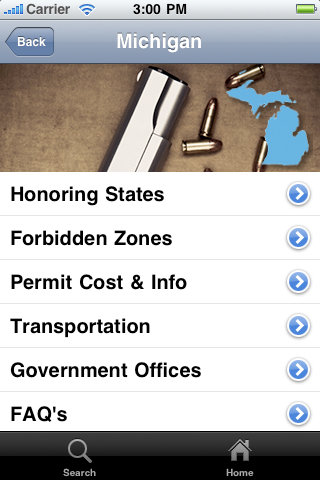
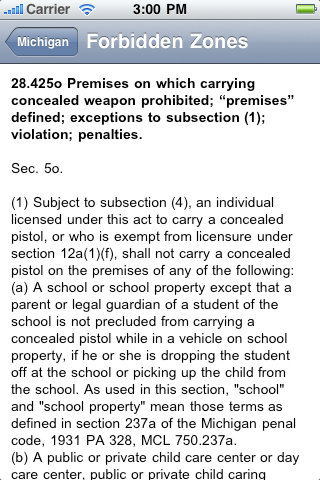
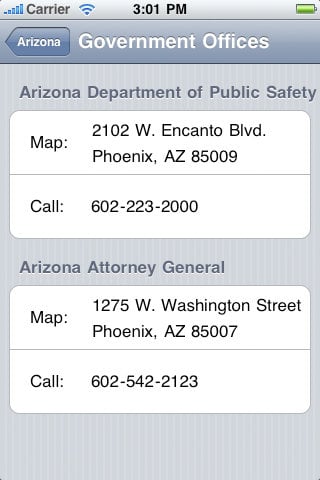
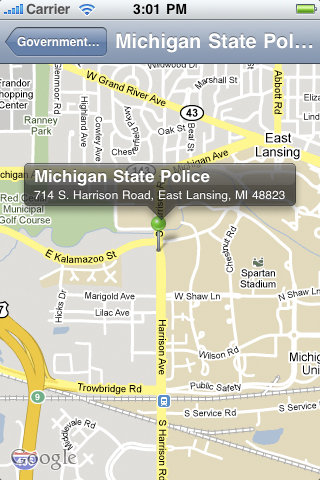
Right2Bear is a repository of information on state CHL laws and other general information including forbidden areas of carry, permit cost and information, transporting your gun, government offices with maps and phone numbers, and frequently asked questions.
The highlight of the app is finding out what states honor your CHL, but it’s also an excellent travel aid.
It gives you the phone numbers of who to contact about carrying within that state, where their offices are located (Google Maps), where you can’t carry, and the specifics of carrying your gun within the state.
Walkthrough
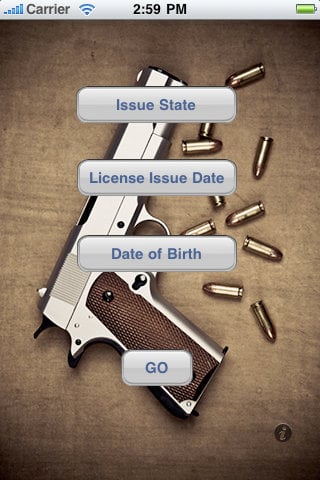 When first opening the app, you’re presented with a disclaimer, followed by three settings and a “go” button. These set your home issuing state, license issue date, and date of birth.
We’re not quite sure why the license issue date and date of birth fields are even included, as you can simply leave them unset and hit go after setting a home issuing state.
This takes you to the selected home issue state screen, where you can learn about the information pertaining to that state.
The search function at the bottom of the screen displays a quick list of states, and is a great way to quickly check other state’s information.
The other way this can be done is to manually go back and change the home state, but with the search function, there’s no reason to have to do that.
Right2Bear features the following states currently as of version 1.02: (remaining states added on a bi-weekly basis)
Alabama, Alaska, Arkansas, Arizona, California, Colorado, Connecticut, Florida, Georgia, Idaho, Illinois, Michigan, North Carolina, Ohio, Oregon, South Carolina, Texas, Utah, Virginia and Washington.
Update: Version 1.03 was released 11/30/09 and now features all 50 States.
User Interface
A few minor issues with the user interface that we’ve noticed are that selecting a state requires you to press the “back” button manually instead of taking you back automatically when the selection is made. (a simple double tap on the state name will automatically take you back though)
Also, if you’re browsing states using the search function and tap home, you’re brought back to your home state that you set, but a popup appears that says “Notice: Your current view is your Home issuing state.” You’ll have to press OK to close the popup.
In a future update, we’d love to see the purpose of the “License Issue Date” field serving as a way to popup a reminder when your license is a few months from expiring.
This would of course be based on how long your issue state’s licenses were good for.
The process for taking a renewal class and pushing the paperwork through the state can take quite awhile, and getting a heads up that you need to get to it would be great.
Notes
The minor issues with Right2Bear are just that, minor issues that do not detract from what an excellent application it is.
We’re excited about the functionality that this app brings to the community, and look forward to future updates.
Head on over to the iPhone App store and check it out!
Update: iBearArms is now known as Right2Bear (mentions in this article have been updated) and recently became available for Android!





Discussion